
EMPOWER YOUR TEAM WITH FREE TIME TRACKING APP
Supercharge Team Productivity with AI Time Tracking

Is your team struggling to manage their time effectively and stay focused on important tasks? Look no further!
MonitUp AI Time Tracker is the solution for effortless team time management. Our free time tracking app empowers your team to monitor their computer activity, gain valuable insights into work habits, and boost productivity. Bid farewell to time-wasting activities and distractions and welcome a more efficient team!
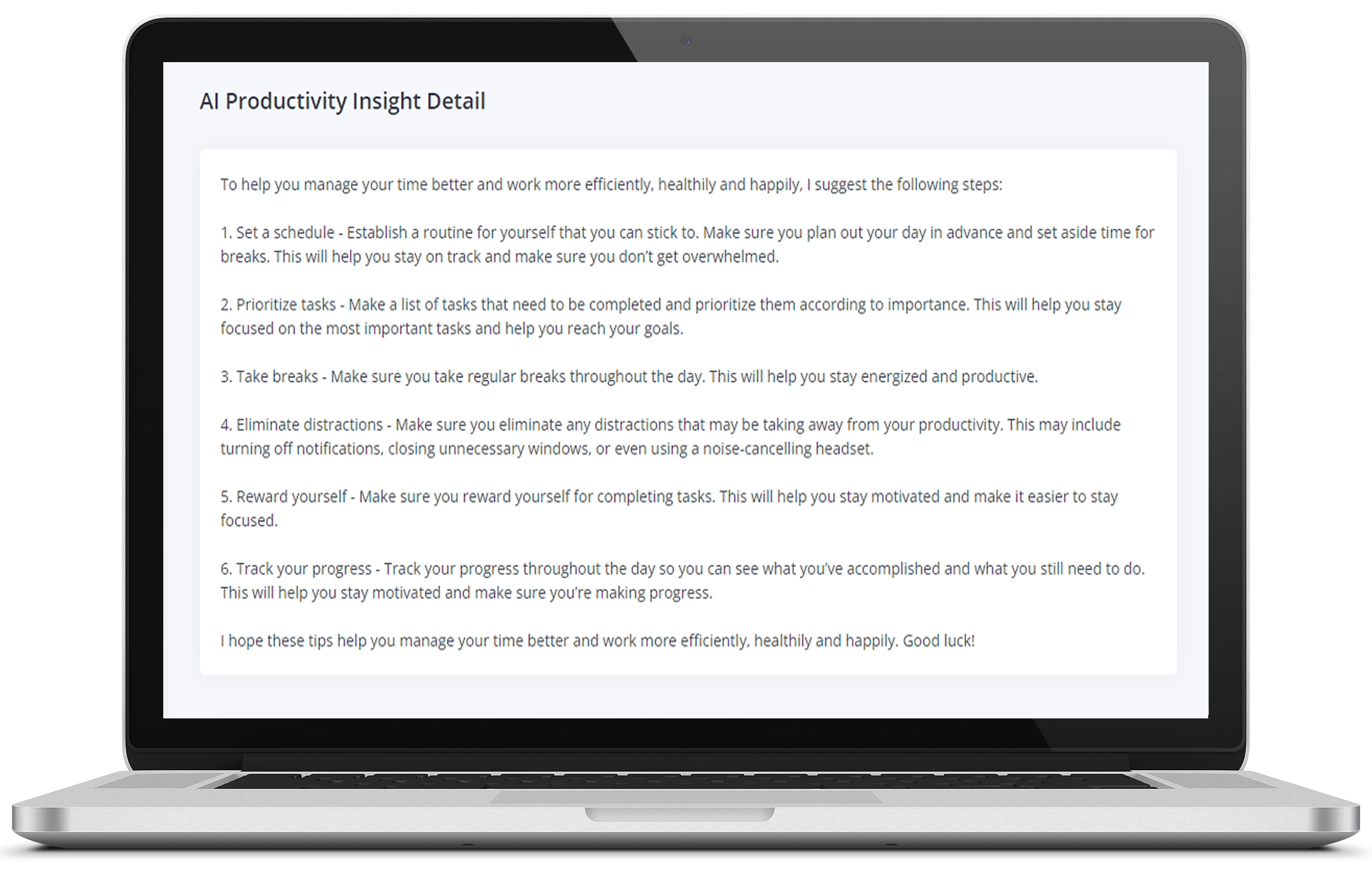
Boost Team Productivity with AI-Powered Suggestions
MonitUp AI Time Tracker goes beyond traditional time tracking. It leverages artificial intelligence to provide personalized recommendations for enhancing productivity. By analyzing your team's daily activity log, our AI algorithms pinpoint areas where they can work more efficiently. Whether your team is remote or freelancing, our performance appraisal feature allows for objective work assessments and improvements.
User-Friendly Dashboard
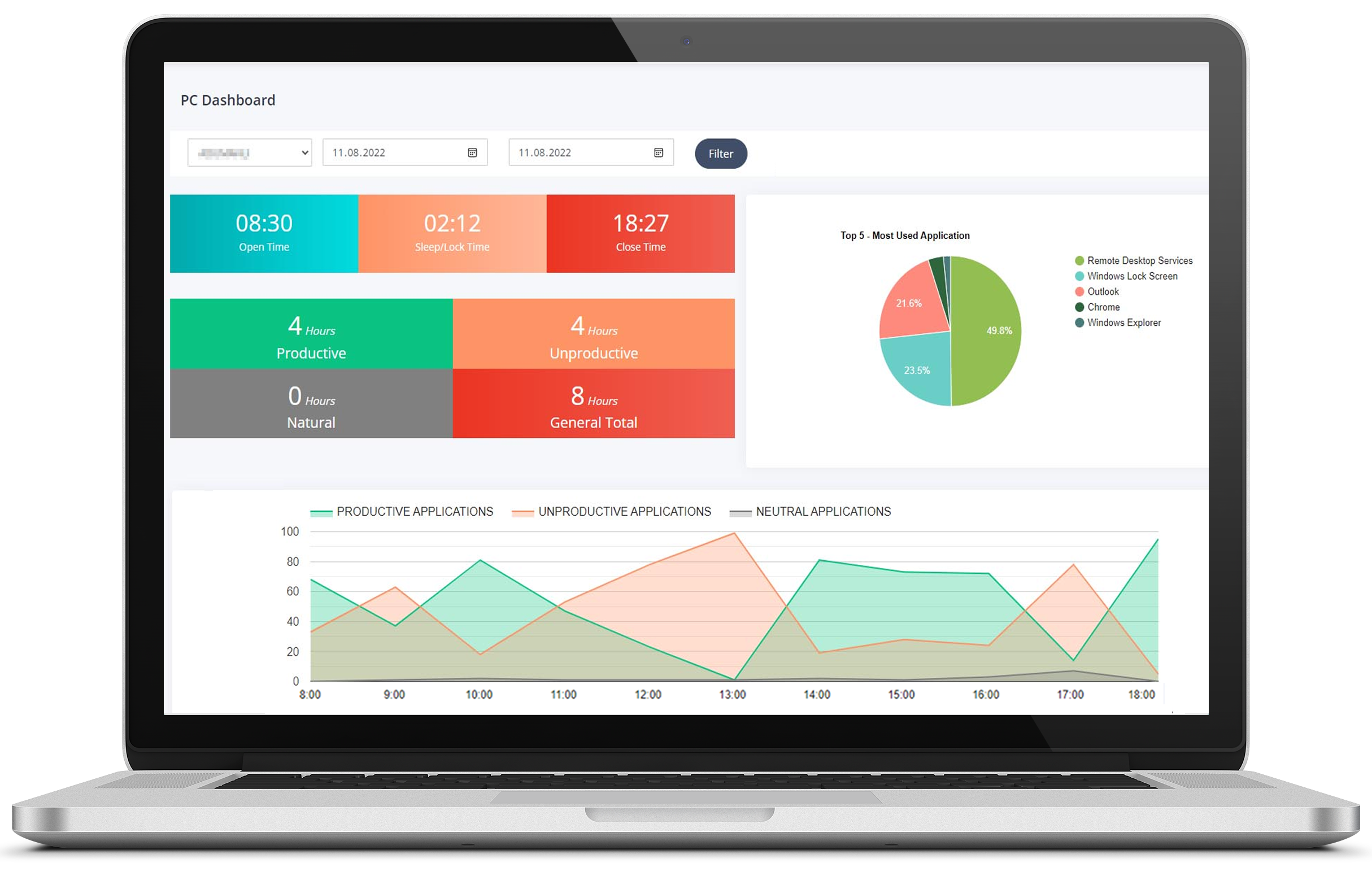
Our user-friendly dashboard offers a comprehensive view of your team's computer usage, complete with time tracking and screenshots.
Powerful Screenshot Feature for Time Tracking and Monitoring You can easily track when you start and stop using your computer, monitor lock screen time, and more. Plus, rest assured that MonitUp AI Time Tracker fully complies with GDPR to protect your data privacy.
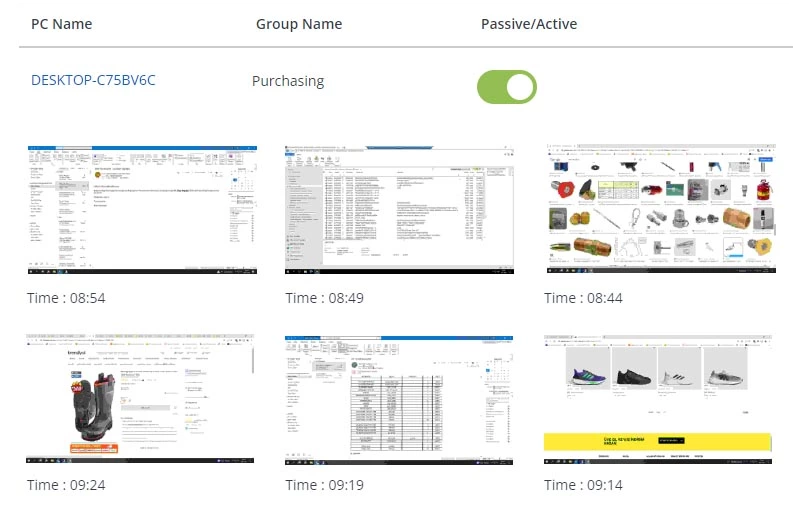
Harness the Power of Screenshot Tracking
MonitUp AI Time Tracker's screenshot feature takes team time tracking to the next level. Visualize your team's activities and gain deeper insights into work patterns.
You have full control over screenshot frequency and quality, allowing you to customize the experience to your liking.
Customize Applications Effortlessly
Tailor productivity reports with ease. Categorize applications into efficient, inefficient, and neutral groups. This customization ensures that productivity analysis aligns with your specific needs. MonitUp AI Time Tracker's comprehensive reports provide in-depth insights into work efficiency.

Step 1
Track Team Time
MonitUp AI Time Tracker diligently records the applications and websites your team uses, along with their respective durations, ensuring precise data collection.
Step 2
Process Team Data
Our comprehensive reports process the collected data, including time tracking screenshots, providing valuable insights.
Step 3
Receive AI Suggestions
Our advanced AI algorithms analyze the data to generate personalized suggestions for improved team efficiency and effectiveness.
MonitUp AI Time Tracker keeps tabs on your team's computer usage, application duration, and website visits. Categorize applications for easy tracking and visualize team productivity with informative graphs.
MonitUp AI Time Tracker keeps tabs on your team's computer usage, application duration, and website visits. Categorize applications for easy tracking and visualize team productivity with informative graphs.
MonitUp AI Time Tracker runs in the background with minimal resource consumption, ensuring no performance issues on your team's computers.
Benefit from AI-driven recommendations to enhance team productivity effortlessly.
MonitUp AI Time Tracker runs in the background with minimal resource consumption, ensuring no performance issues on your team's computers.
Join us on the journey to better team time management. Download MonitUp AI Time Tracker today and take control of your team's productivity!
For Mac OS compatibility inquiries, please contact us through this link .
FREELANCER
$0
for 5 user / 3 months
Ideal for project-based work. You manually start and end the tracking process.
-
AI Suggestions
-
Open/Close Time List
-
App and URL Tracking
-
Identifying Productive Apps
-
Screenshots
-
Silent Tracking
-
Desktop App
-
Available for Windows OS
PREMIUM
$0
for 5 user / 3 months
Automatically activates when your computer turns on during your specified working hours. Offers comprehensive features, including time tracking with screenshots.
-
AI Suggestions
-
Open/Close Time List
-
Setting Working Hours
-
App and URL Tracking
-
Identifying Productive Apps
-
Screenshots
-
Notifications
-
PC Performance Tracking
-
Silent Tracking
-
Available for Windows OS
© 2020-2023 All Rights Reserved.